
TOC
Overview
Manage UserGroup members, Application Access Keys, and Document Access Keys.
Screen Layout
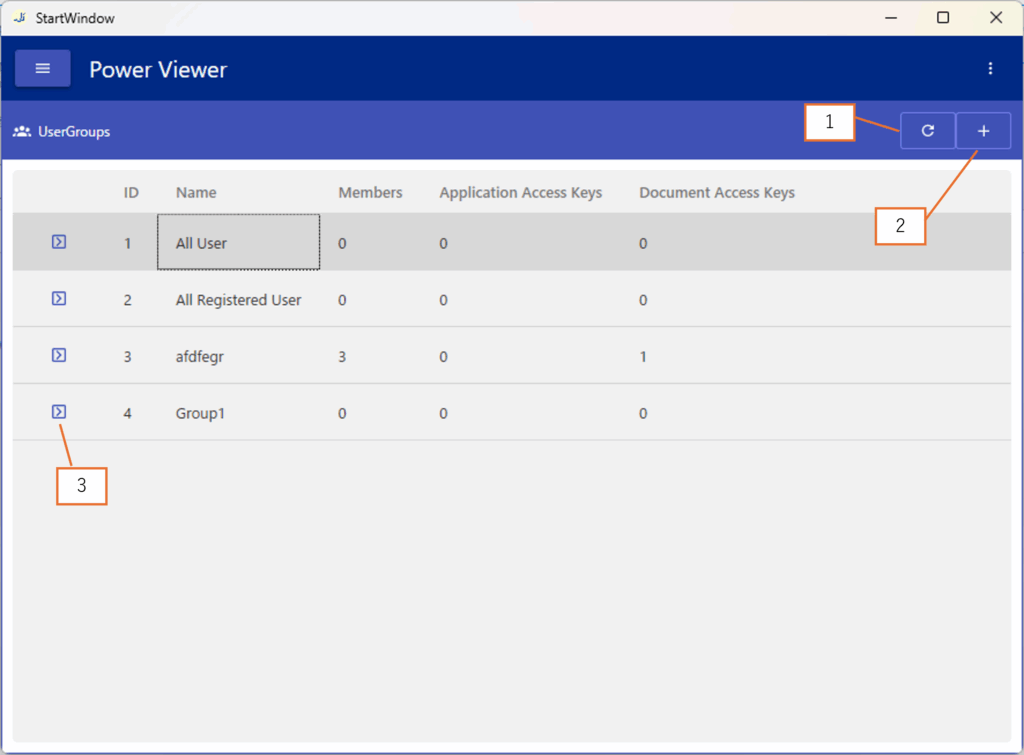
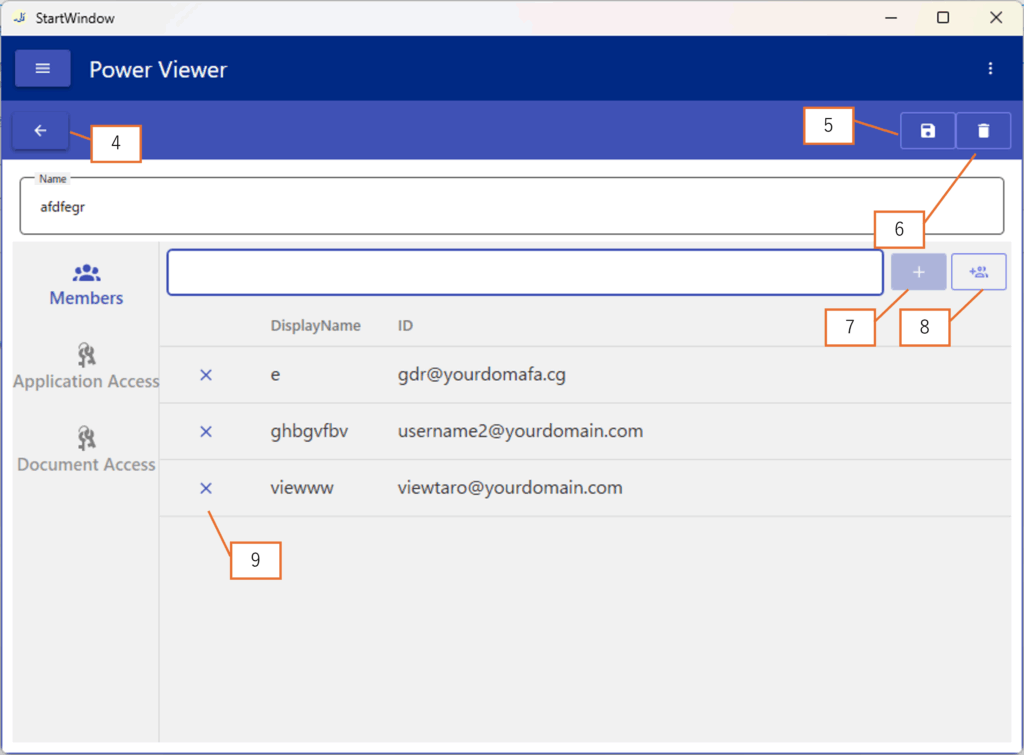
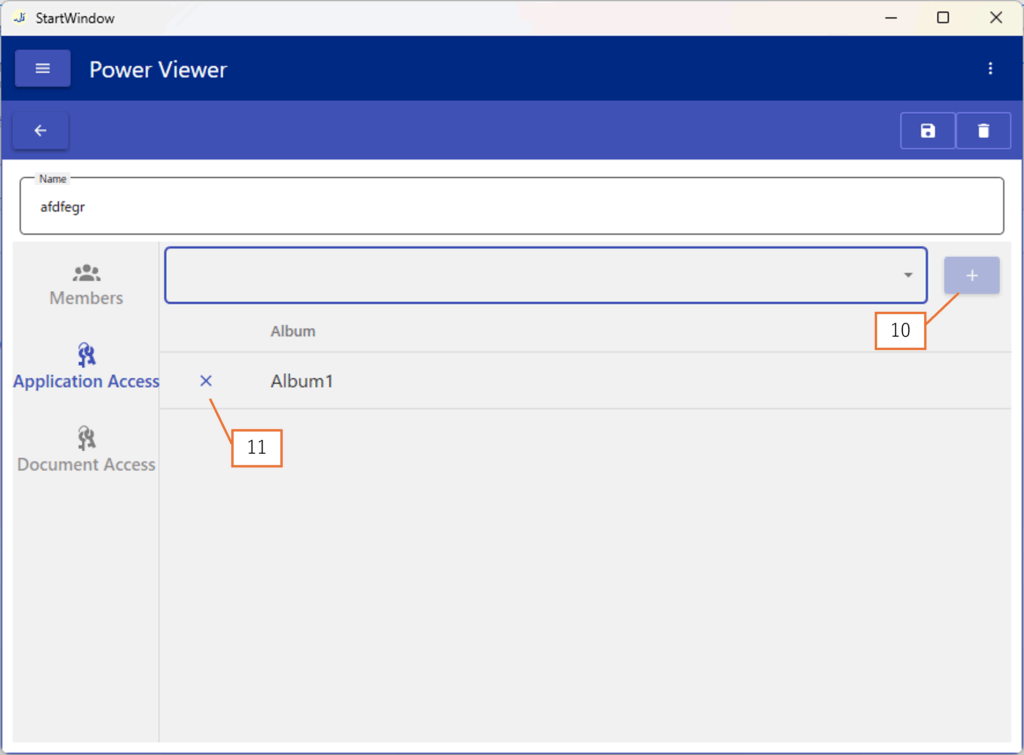
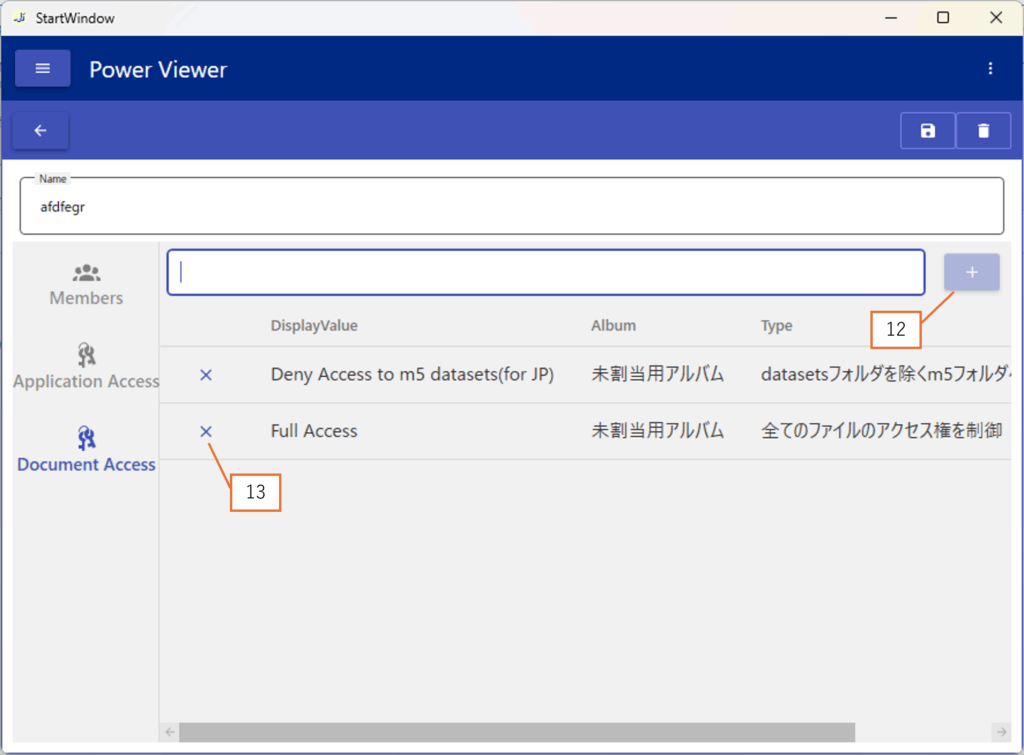
| No. | Description |
|---|---|
| 1 | Refresh the UserGroup list |
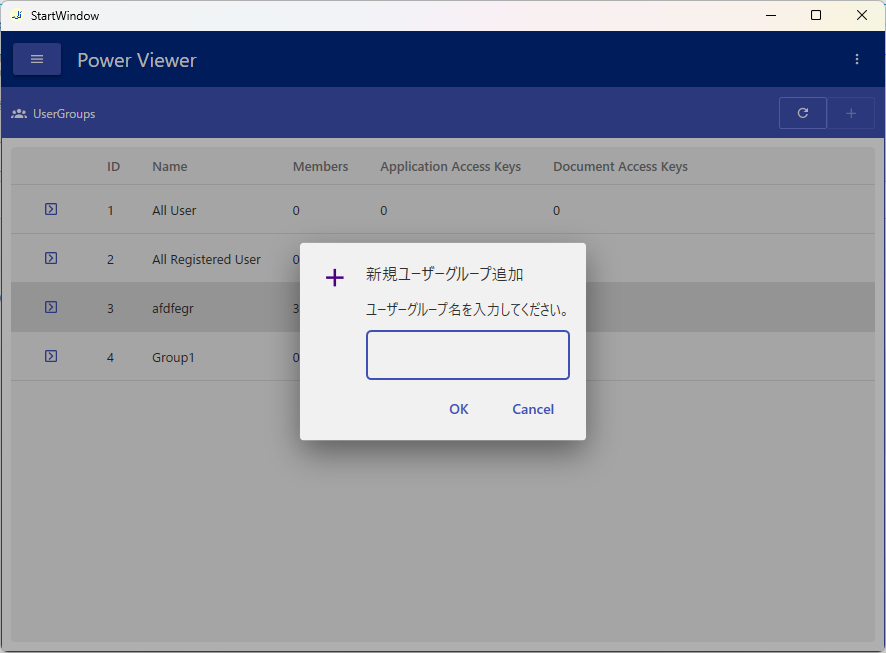
| 2 | Open the Add UserGroup dialog (Screen 3) |
| 3 | Navigate to Screen 2 |
| 4 | Return to Screen 1 |
| 5 | Save changes made in Screen 2 |
| 6 | Delete a UserGroup |
| 7 | Add a member |
| 8 | Bulk add members |
| 9 | Delete a member |
| 10 | Add an Application Access Key |
| 11 | Delete an Application Access Key |
| 12 | Add a Document Access Key |
| 13 | Delete a Document Access Key |
Operations
Add a Member
Enter the ID of the user you want to add, then click the Add button.
Add an Application Access Key
Select the Key you want to add, then click the Add button.
Add a Document Access Key
Enter the DisplayName of the Key you want to add, then click the Add button.
Save Changes
All changes, such as adding members or keys, must be confirmed by clicking Button 5. Until then, they will not be applied.