
TOC
Overview
Open a registered eCTD from the Album.
Screen Layout
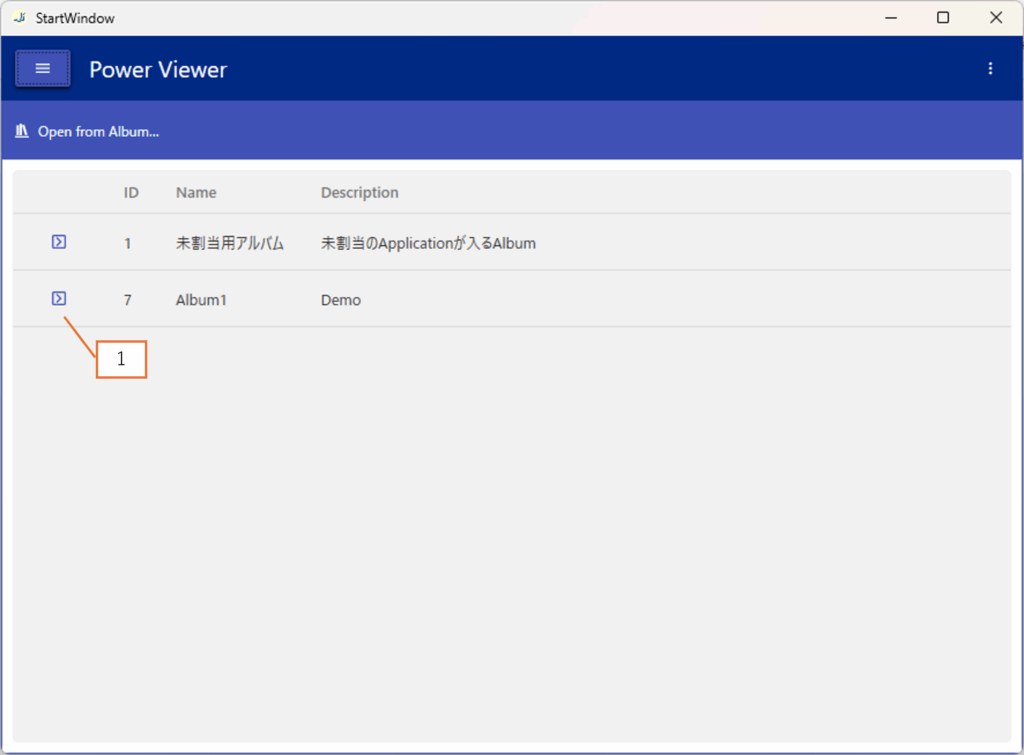
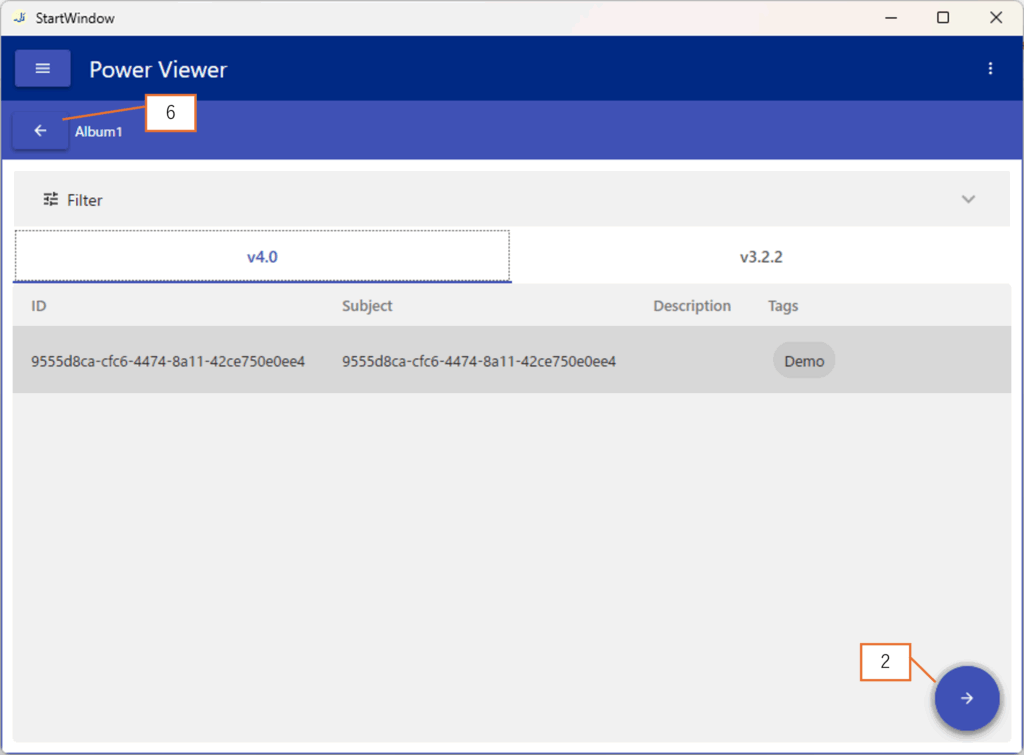
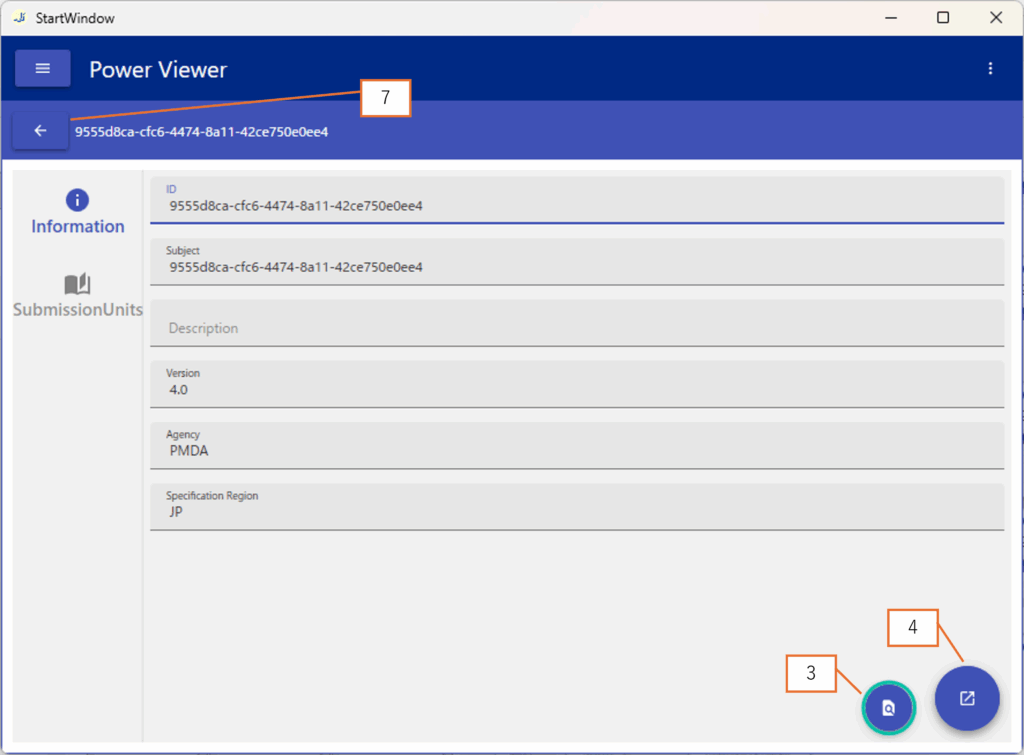
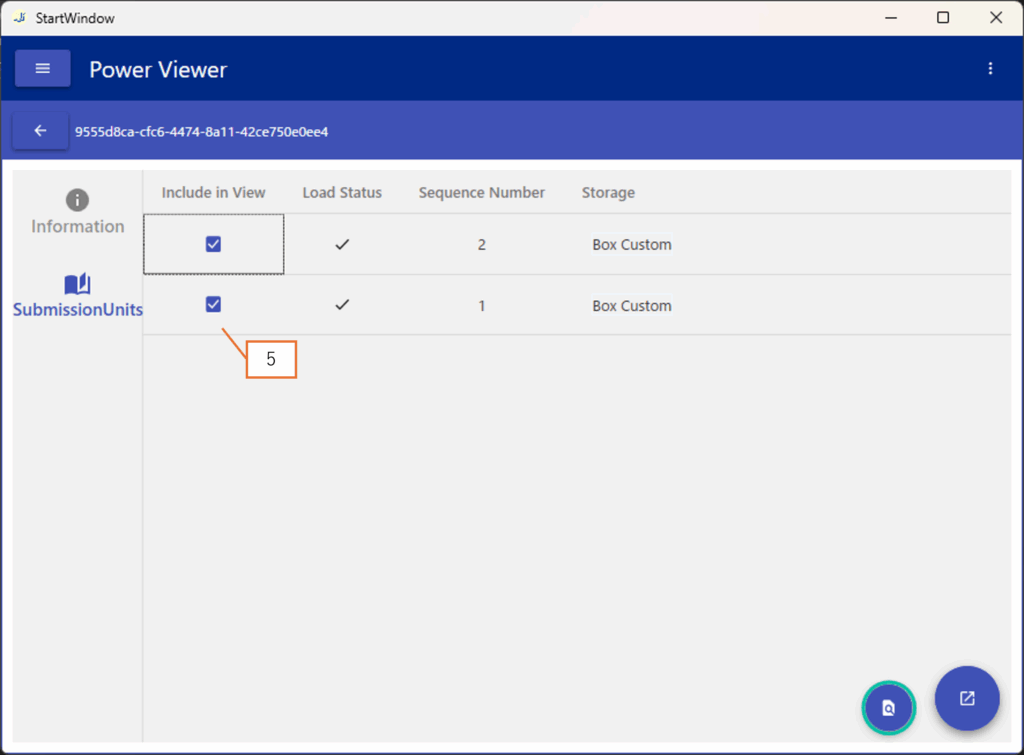
| No. | Description |
|---|---|
| 1 | Navigate to Screen 2 |
| 2 | Navigate to Screen 3 |
| 3 | Load the information of the SubmissionUnit checked in item 5 |
| 4 | Open the eCTD |
| 5 | If you want to exclude a SubmissionUnit from the current viewing target, uncheck it here before clicking Button 3 |
| 6 | Navigate back to Screen 1 |
| 7 | Navigate to Screen 2 |
Operations
Load Information of Selected SubmissionUnit
Loads the information of the SubmissionUnit checked in item 5.
If you want to exclude a SubmissionUnit from the current viewing target, uncheck it before clicking Button 3.
At this stage, authentication for the required cloud storage may be requested.
The results of the loading process will be displayed in the Load Status.
Open eCTD
Opens the eCTD.
This action can only be performed if all the SubmissionUnits targeted for loading have been successfully loaded.